DOWNLOAD

Give Dave some footage.

Install Dave, point him at a folder, and see what he finds. Your first 100 clips are free, and nothing on disk changes until you approve the run.

macOS

Built for Apple silicon (M1 and later). Sort and organize media, new and old. Dave even recognizes faces.


Version 1.0.4 · 96 MB

Windows

The Windows build is in progress. Same app, same modes, same approval step before anything is written.
COMING SOON

Your first run, in three moves.

01

Point him at a folder

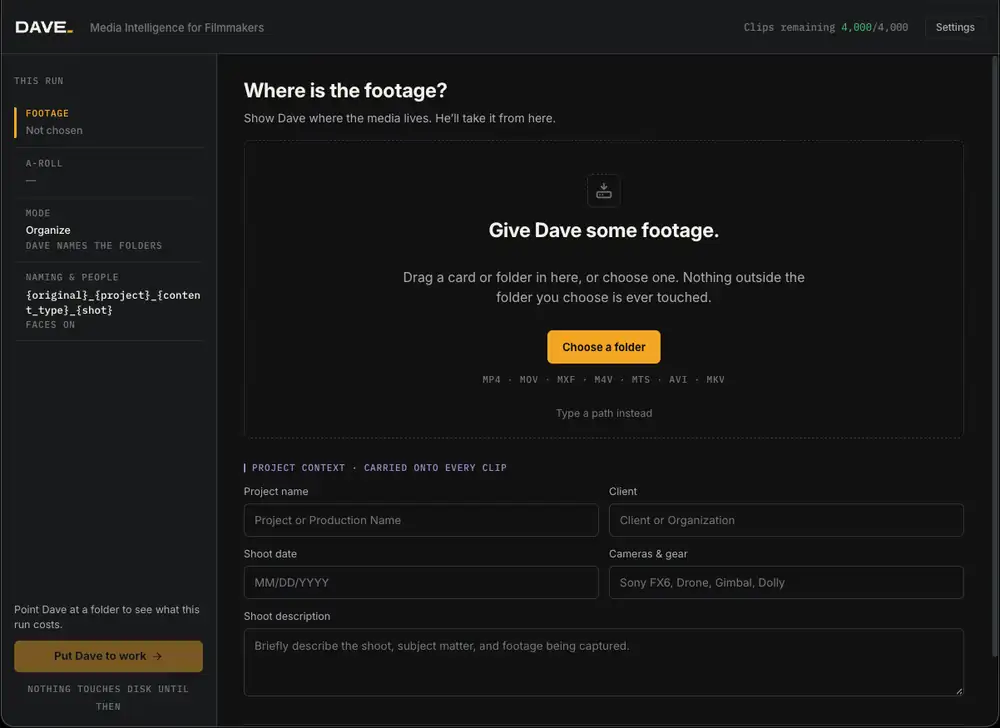
Drag a card in, or choose a folder. Nothing outside it is touched.
02

Give Dave some context

Project, client, shoot date and gear. It gets carried onto every clip.
03

Read the run, then approve

Check the mode, the naming template and the folder plan. Then put Dave to work.
SYSTEM REQUIREMENTS
OPERATING SYSTEM
macOS 13 or later, Apple silicon · Windows coming soon
MEMORY
16 GB recommended
FORMATS
MP4 · MOV · MXF · M4V · MTS · AVI · MKV
FACES
Grouped locally, from A-Roll
WRITES
Only after you approve the run
The Dave import screen asking where the footage is
NOTHING TOUCHES DISK UNTIL YOU PRESS PUT DAVE TO WORK
Dave mark
FREE TRIAL · 100 CLIPS

Register for Dave.

Create your account and we’ll send the macOS download. Your first 100 clips are free, and nothing on disk changes until you approve the run.
NO CARD NEEDED · MACOS 13+